

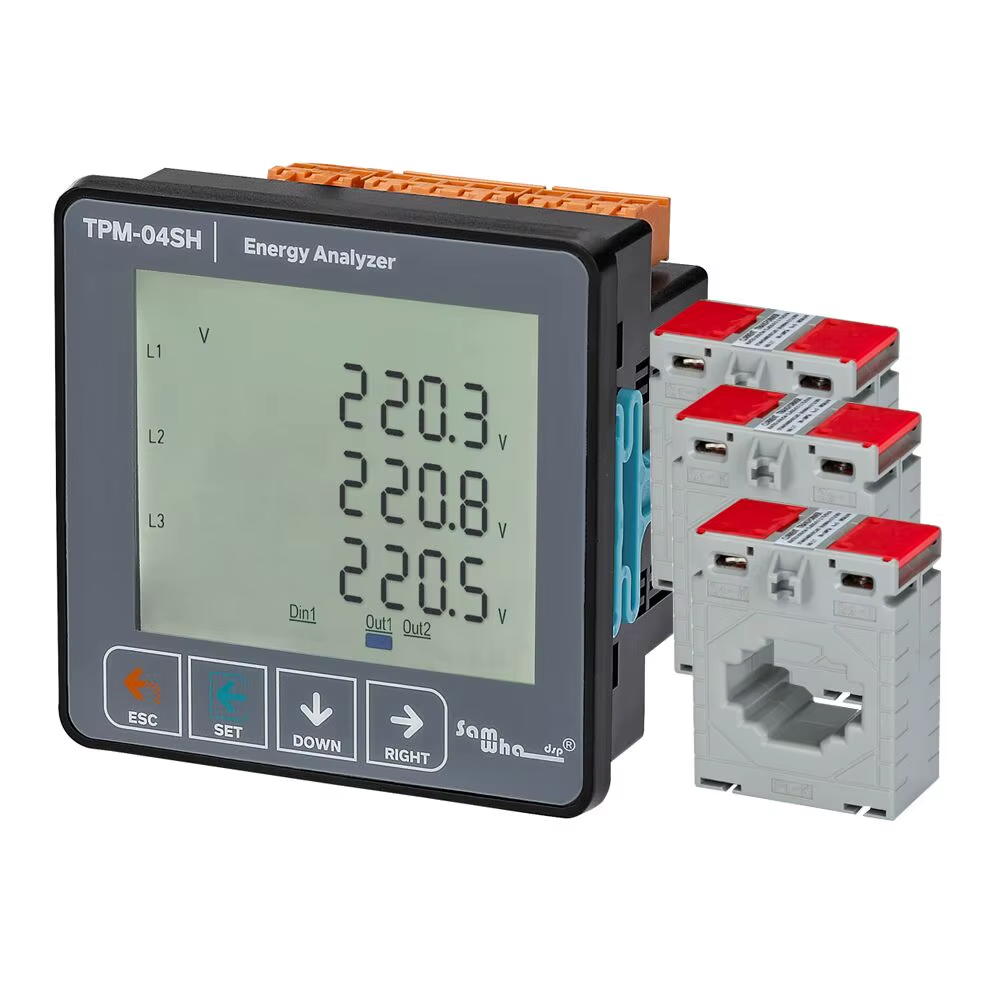


Features
◈ Measures up to voltage harmonics 31st.
◈ Measures up to current harmonics 31st.
◈ Supports 3P4W connections.
◈ RS485 Modbus RTU
◈ 71.5 × 61.5 Custom Design Glass LCD
◈ It shows the powers of each phase (P1, P2,
P3).
◈ It shows the reactive powers of each phase
(Q1, Q2, Q3 inductive and capacitive).
◈ It shows the apparent powers of each phase
(S1, S2, S3).
◈ It shows power factors (PF) and cosφ values
of each phases.
◈ It shows the min., max. and ave. values of the
phase-to-phase and phase-neutral voltages.
◈ It shows the values of each phase (I1, I2,
I3).
◈ It shows total import and export active
(ΣkWh) energy.
◈ It shows total inductive and capacitive
reactive (ΣkVArh) energy.
◈ Digital Input.
◈ Relay output (adjustable).
◈ It shows voltage and current irregularity.
◈ It show demands.
◈ You can delete energies and demands.
◈ The menu is password protected.
Construction

1 – Indicates the unit of the value.
2 – Indicates which phase the value belongs to.
3 – Indicates displayed values. V=voltage, I=current,
F=frequency, S=apparent power, P=active power,
PF=power factor, Fl=cosine phi, THD-l=total
current harmonics, THD-V= total voltage
harmonics. Q=reactive power.
➡+P: Specified that the indicated active
energies are imported.
-P⬅: Specified that the indicated active energies
are exported.
⬆+Q: Specified that the indicated reactive
energies are inductive.
-Q⬇: Specified that the indicated reactive
energies are capacitive.
§: Specified that the indicated reactive energies are inductive.
〒: Specified that the indicated reactive power are capacitive.
Min: Indicates that the values shown are
minimum.
Max: Indicates that the values shown are
maximum.
Ave: Indicates that the values shown are
average.
Dmd: Indicates that the values shown are
demand.
Din1: There is voltage
Din: There is no voltage.
Out1▬: Relay is pulled.
Out1:__ Relay is released.
Out2▬: Relay is pulled.
Out2:__ Relay is released.
ΣP: Total active energy.
Σ+Q: Total inductive reactive energy.
Σ-Q: Total capacitive reactive energy.
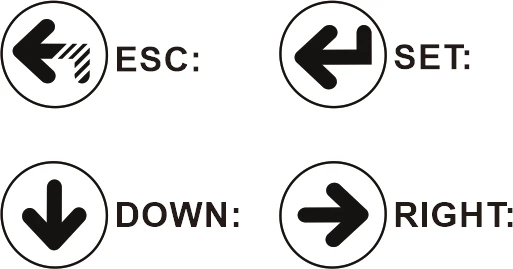
ESC Button: When this button is pressed while not in the menu, thescreen always shows main interface.
SET Button: This button enters menu/parameter.It records the changes of parameters and remove from parameter.
DOWN Button: This button enters to fast progress between the values that are measured out of menu. Changes the value while inside the parameters in the menu.
RIGHT Button: This button allows to progress by displaying the measured values outside the menu together with the details. It allows navigation between parameters when pressed in menu.
In the parameter, it allows to transition between steps and parameters.
Maintenance
Switch off the device and release from connections. Clean the trunk of device with a swab. Don’t use any conductor or chemical might damage the device.
Make sure device works after cleaning.
Warnings
Please use the device according to the manual.
Don’t use the device in wet.
Include a switch and circuit breaker in the assembly.
Put the switch and circuit breaker nearby the device, operator can
reach easily.
Mark the switch and circuit breaker as releasing connection for device.
Specifications
Operating Voltage(Un)…….: 85V – 240V AC
Operating Frequency……….: 50/60 Hz.
Operating Power………………: <10VA
Operating Temperature…..: -20°C…..+55°C
Voltage Input………………….: 5V ~ 330V AC
Voltage Meas. Range……….: 5V ~ 330kV
Current Meas. Range………..: 10mA-5.5A
Voltage, Current Accuracy…:%±0.5
Active Accuracy………………..:%±1
Reactive Accuracy…………….:%±2
Supported Connection………:3P4W
Voltage Transformer Ratio….:1,0….999,9
Harmonic Voltage Meas……..:3-31
Harmonic Current Meas………:3-31
Baud rate…………………:1200bps – 38400bps
Stop Bit……………………:1 or 2
Parity……………………….:None, Even, Odd
Display…………………:71.5 × 61.5mm Glass LCD
Relay Output…..:2x 5A/250VAC (Resistive Load)
Digital Input……:1x 9V – 24VDC
Weight……………:<300Gr.
Protection Class..:IP41(Front Panel), IP20(Body)
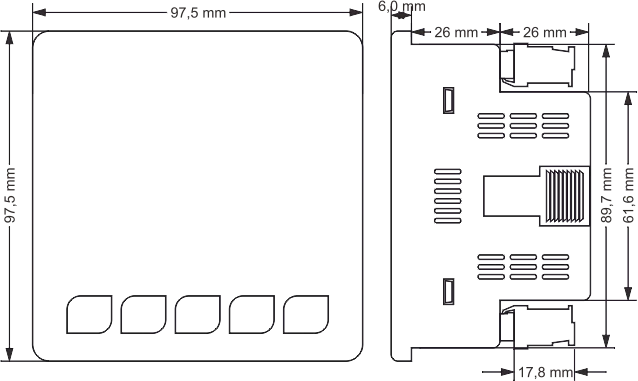
Panel Hole Sizes……:91mm x 91mm
Connection Type….:Plug-in terminal connection
Cable Diameter …..:1.5mm²
Mounting……………:Front panel mountings
Operating Altitude……….:<2000meters
Dimensions
Connection Diagram

Be the first to review “Samwha-Dsp TPM-04SH Energy Analyzer Multimeter 3P&4W”

Water & Plumbing
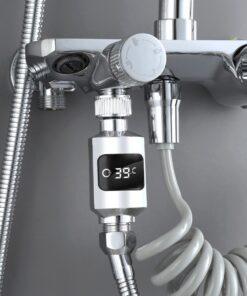
Shower Head Temperature Meter Shower Faucet Water Thermometer


Lighting & Daylighting


Building Automation & Control


Wellness & Indoor Environment


Concrete & Masonry Equipment


Zero-Carbon & Energy-Positive
Frequently bought together
Choose variants
×| Product | Price |
|---|


Related products
Midas Touch Towers

Midas Touch Towers

Midas Touch Towers
Midas Touch Towers


Midas Touch Towers


Midas Touch Towers

IoT & Connected Technologies

Midas Touch Towers
Reviews
There are no reviews yet.