




Product description
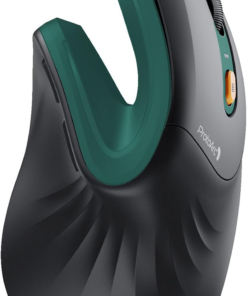
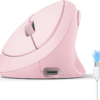
ProtoArc Bluetooth Rechargeable Vertical Mouse
ProtoArc ergonomic mouse features an ergonomic design, specifically crafted for users who spend long hours on the computer, effectively reducing wrist strain
Note: All buttons are not programmable and the forward and back buttons are not compatible with Mac OS systems
Easily connect your ProtoArc vertical mouse to boost your productivity
Connection Guide: This mouse pairs via Bluetooth or the included USB-A receiver only. Note: A USB-C receiver is not included. The Type-C cable is for charging
All-Day Power with Fast USB-C Charging
ProtoArc EM11 NL ergonomic mouse delivers exceptional comfort for long hours, seamless multi-device connectivity, and impressive battery life in a premium ergonomic design.
EM11 NL Designed for Small to Medium Hands: < 7.5in/190.5mm
Warm tips: Since it takes a learning curve to get used to the shape when using our ergonomic mouse for the first time, it may cause inconvenience to your mouse grip, but our ergonomic design will help reduce the pressure and pain on your wrist caused by long-term use of the mouse
Wireless Ergonomic Combo is Designed for Premium Comfort and Productivity
-
Pair with EK01 Plus Backlit Ergonomic Keyboard
Type more naturally with ProtoArc EK01 Plus. The ergo keyboard with cushioned palm rest, curved split keyframe and responsive scissor keys – Reduces wrist strain, keep your hands and shoulder relaxed
-
Pair with MP50 Ergonomic Mouse Pad with Wrist Rest
ProtoArc ergonomic mouse pad features an 8-degree tilt to provides stable support for your wrist and palm, effectively alleviating fatigue from prolonged use, while also helping to improve discomfort
-
Pair with EK04 2-in-1 Wireless Ergonomic Keyboard
ProtoArc EK04 wireless ergonomic keyboard with separate number pad provides greater flexibility for your workspace setup, greatly helps to improve your work productivity.
-
Gift Of Productivity
-
Is the EM11 NL ergonomic mouse compatible with Mac OS?
EM11 NL is compatible with Windows 8, Windows 10 or higher, Mac OS X 10.12 or higher, and Android 4.3 or higher. Please note: the side buttons are not compatible with Mac OS
-
Does the EM11 NL support programming?
We’re sorry, the EM11 NL currently does not support customization. However, our upcoming upgraded version, the EM11 Pro will offer this feature
-
What hand size is the EM11 NL designed for?
Recommendations for Hand Size: We recommend that small to medium hands use our ergonomic vertical mouse. Please measure the size before ordering for a better fit and more comfort.(Hand size: <17.5cm or 17.5cm-19.05 cm is suitable)
-
Does the EM11 NL have LED or RGB lighting?
No, the EM11 NL does not feature LED or RGB lighting
-
What is the battery life of the EM11 NL?
It takes only 2 hours to fully charge. The mouse offers up to 200 days of standby time and provides 100 hours of continuous usage. Based on 4 hours of use per day, this translates to approximately 25 days of battery life
- Designed for Small to Medium Hands: Built for hand lengths under 7.5 in, the EM11 NL aligns with a natural grip for a more comfortable fit. Please measure before ordering to confirm the size is right for your hand.
- 58° Ergonomic Vertical Design: The 58° comfort angle helps keep your forearm and wrist in a more natural, relaxed position during long office sessions, easing wrist pressure from traditional flat mice and supporting better focus through the workday.
- Connect Up to 3 Devices: Pair this wireless ergonomic mouse with up to three devices through dual Bluetooth and 2.4G USB-A, then switch between your laptop, desktop, or tablet with one click, so one mouse can cover more of your daily workflow.
- USB-C Rechargeable Battery: The built-in 500mAh Li-Ion battery charges with the included Type-C cable, delivering up to 100 hours of use and up to 200 days of standby after about 2 hours of charging, helping reduce disposable battery waste.
- Adjustable DPI and Easy Navigation: Switch between 1000, 1600, and 2400 DPI for precise optical tracking across daily office tasks, while back and forward buttons make browsing documents and websites faster and more efficient.
- Quiet Clicks for Shared Spaces: Silent left and right buttons help you stay focused without disturbing others at home, in the office, or in study spaces. Note: the scroll wheel and back/forward buttons are not silent.
Be the first to review “EM11 NL Wireless Ergonomic Mouse, Rechargeable Vertical Mice”

Acoustic & Ergonomic Solutions


Fashion & Apparel


Environmental Engineering & Performance Analytics
Water Gun Hose Cleaning System Faucet Cleaning Kit Boat Spray
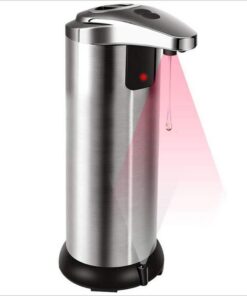
AI & Predictive Maintenance
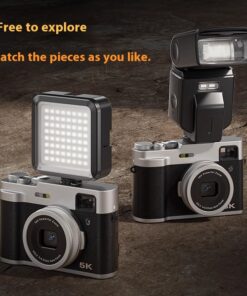
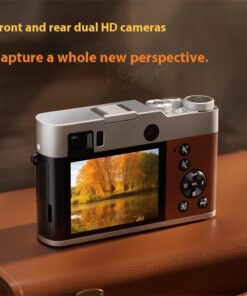
Cameras & Surveillance
5K HD Digital Camera Front And Rear Dual Camera Fast Viewfinder Camera
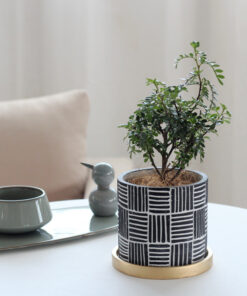
Biophilic Solutions
Indoor flowerpot green plant potted simple ornament with tray
Frequently bought together
Choose variants
×| Product | Price |
|---|


Related products

Midas Touch Towers


Midas Touch Towers


Midas Touch Towers


Midas Touch Towers
IoT & Connected Technologies
IoT & Connected Technologies
Midas Touch Towers
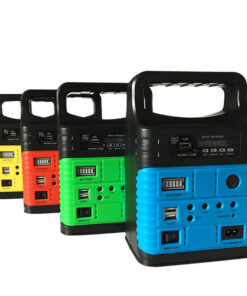
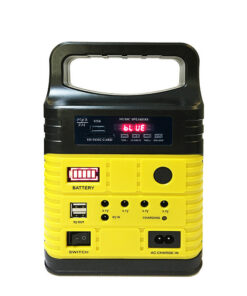
10W Solar Power System Solar Emergency Light Solar Radio Solar System

Midas Touch Towers
Reviews
There are no reviews yet.